Your nonprofit’s app
Your name, icon, colors, and content on iOS and Android. People download your app, rather than find your organization inside a directory of nonprofits.
A mobile app listed under your nonprofit’s name. A web dashboard for your staff. Hosting and maintenance handled by GrovLink.
See how they work together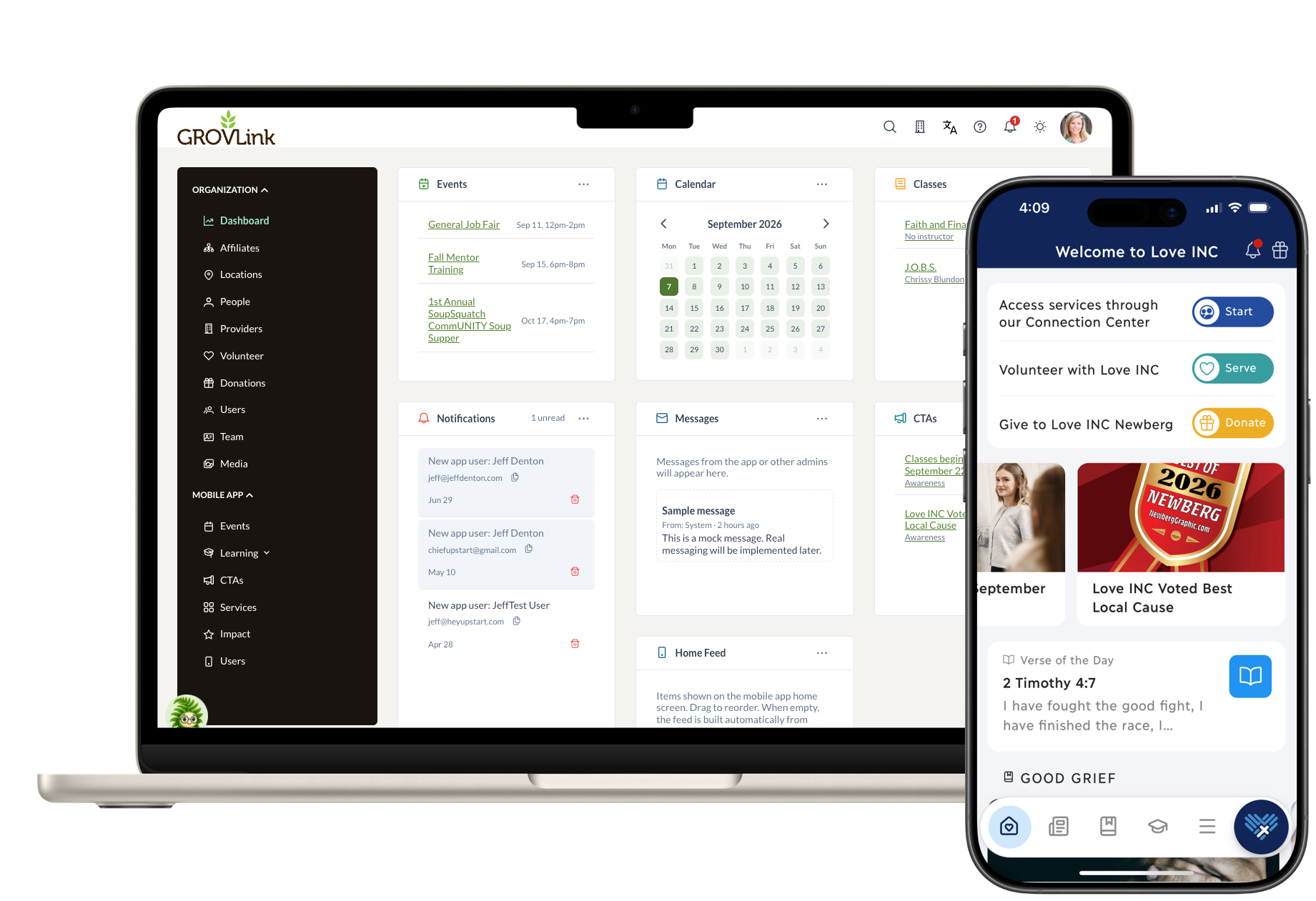
Your name, icon, colors, and content on iOS and Android. People download your app, rather than find your organization inside a directory of nonprofits.
Manage the information your community needs in one web dashboard. Configure the available features and navigation around your organization’s work.
GrovLink maintains the shared platform, hosting, and app updates. Your team owns the content and relationships.
These examples use the Love INC app. Your app carries your nonprofit’s branding and content.
Publish service information in GrovLink. People explore the help available in your app and send a request. Your team sees it in the dashboard and notification bell.
Create the opportunity in GrovLink. A push notification brings the details to a volunteer’s phone, where they can see how to help.
Build a collection of learning resources, publish it, and notify your community. People open lessons, read, and explore the content in your app.
Follow a monthly donation through confirmation, then see how a receipt could appear for your staff.
Donation notifications shown here are a prototype of planned functionality.
A communications or program lead keeps information current. The people responsible for services and volunteer coordination follow up on responses.
You don’t need a developer on staff to maintain the app.
In your demo, we’ll walk through a typical update with the person who would manage it. Staff time depends on how much you publish and the responses you receive.
Choose the features, responsibilities, and budget. Your proposal records the setup work and subscription before work begins.
Your team supplies branding and initial content. We configure the app, navigation, and enabled features.
Check your content and branding, walk through staff tasks, and agree what is ready for launch.
We support store submission and go-live. Your team introduces the app to your community and keeps content current.
Most launches take 4–6 weeks, depending on content readiness and app-store review. Your proposal confirms the expected schedule.